Google Business Profile
GBP Categories vs Services vs Attributes: What Goes Where
Categories, services and attributes on your Google Business Profile do different jobs. How to choose your categories, list services and pick attributes.

TLDR
- Your primary category tells Google what you are. Pick the one that matches the work that makes you the most money.
- Services tell customers everything you do. List them one by one.
- Attributes are extra facts, like wheelchair access or being veteran-owned. Add the ones that are true.
Your Google Business Profile has three places to describe your work: categories, services and attributes. They look similar, and a lot of owners mix them up. They do different jobs, and getting them right is one of the fastest wins on the map.
The short version
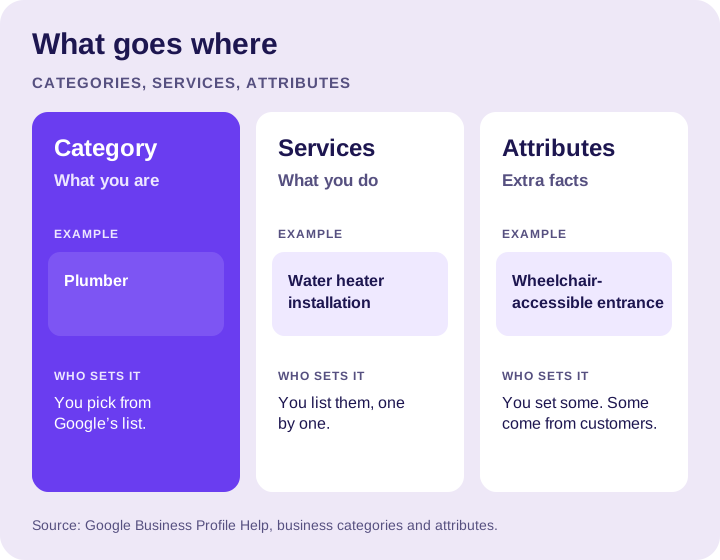
- Categories say what kind of business you are. You choose from Google’s list. You can’t invent your own.
- Services say what you actually do. You list them, with a short description of each.
- Attributes are extra facts about the business, like whether your entrance is wheelchair accessible. Google says you can edit some of them, and others may come from customer input.
Choosing your primary category
Your primary category is one of the strongest signals for which searches you show up in. Google’s own example: a business whose primary category is “Pizza restaurant” may show for searches like restaurants, Italian restaurants and pizza. See Google’s guide to managing your category.
Pick it like this:
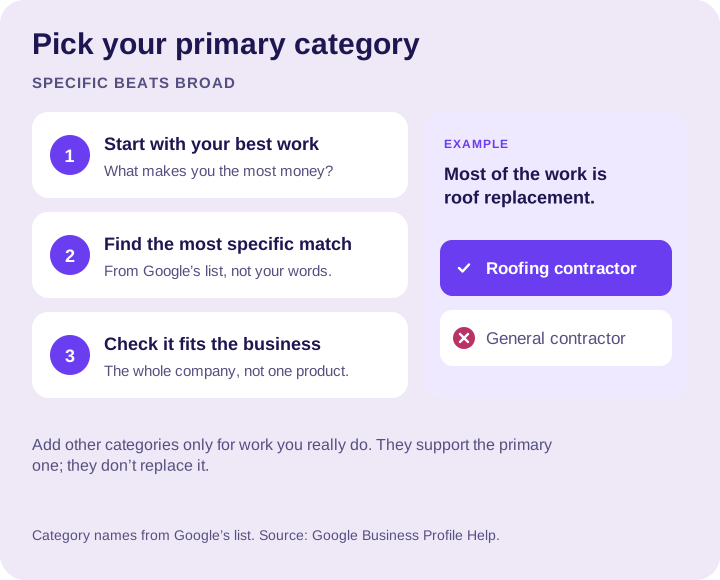
- Start with your money-maker. What service brings in most of your revenue?
- Find the most specific match. “Roofing contractor” beats “General contractor” for a company that mostly does roofs.
- Make sure it describes the business, not one product you sell.
Adding more categories
You can add more categories for other kinds of work you really do. An HVAC contractor that also does a lot of standalone air conditioning work might add “Air conditioning contractor.”
But don’t add a category for every service. Google’s guidance is to use a few categories that describe your business as a whole. Too many, or ones that don’t fit, can confuse both Google and customers.
Listing your services
Services are where you get specific. This is the place for “water heater installation,” “drain cleaning,” “panel upgrades” or “gutter replacement.”
- List every service you want calls for, one by one.
- Write a plain description for each: what it is and who it’s for.
- Match your website. Each important service should also have its own page on your site.
- Skip what you don’t do. Listing work you turn down just wastes everyone’s time.
Picking attributes
Attributes are the small facts that help a customer decide. The ones you can choose depend on your business, and Google explains them in its guide to business attributes. Examples you may see include:
- Business identity, like veteran-owned or women-owned
- Accessibility, like a wheelchair-accessible entrance
- Amenities, like Wi-Fi
- The payments you accept
Add the ones that are true. Leave the rest blank. Never add an attribute you can’t back up.
Common mistakes
- Using a broad category when a specific one fits.
- Adding a category for every service instead of listing services.
- Leaving services empty, so Google has to guess what you do.
- Stuffing keywords into your business name instead of using categories and services. That breaks Google’s guidelines and can get your profile suspended.
The bottom line
Category is what you are. Services are what you do. Attributes are the facts customers care about. Get all three right, and you give Google and your customers a clear picture.
If you’d rather we set it up, that’s part of our Google Business Profile management. Our setup guide covers the rest of the profile.
Want a hand with your profile?
Tell us about your business and the towns you serve. We can help you decide what to work on next.