Google Business Profile
Service Area Businesses on Google Maps: Coverage and Rules
How service area businesses show up on Google Maps: when to hide your address, how to set up to 20 service areas, Google's two-hour rule and what to avoid.

TLDR
- If customers don't come to you, hide your address and list the areas you serve.
- Google allows up to 20 service areas, generally within about two hours' drive of your base.
- A service area tells Google where you work. It doesn't make you rank everywhere inside it.
Most contractors don’t have a storefront. You go to the customer. Google calls that a service area business, and it has its own rules for how you show up on the map.
Get them right and your profile matches how you actually work. Get them wrong and you can end up hidden, or suspended. Here’s what to know.
Which kind of business are you?
Google treats three setups differently. Start by picking yours.
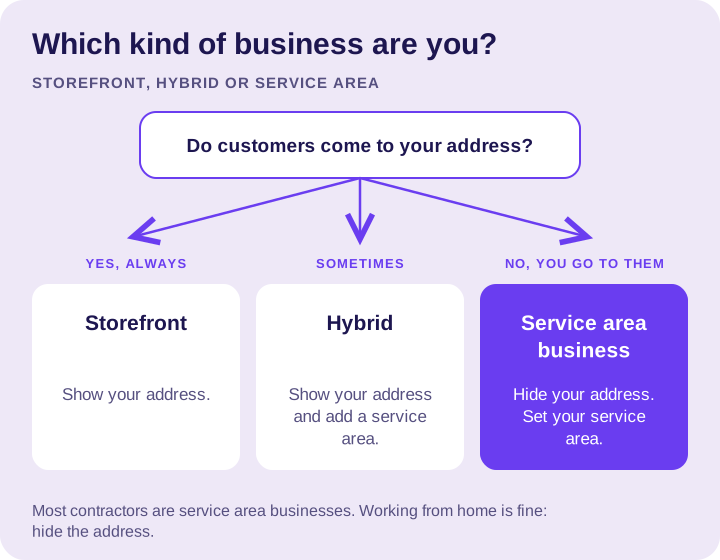
- Storefront: customers come to you, like a showroom or a shop counter. Show your address.
- Hybrid: you have a location customers visit and you go to customers. Show your address and add a service area.
- Service area business: you only go to the customer. Hide your address and list the areas you serve.
Working from home is fine. Google’s guidelines say to hide your address if you don’t serve customers there, so your home stays private.
Setting your service area
Google lets you add up to 20 service areas, such as cities, ZIP codes or counties. A few rules of thumb:
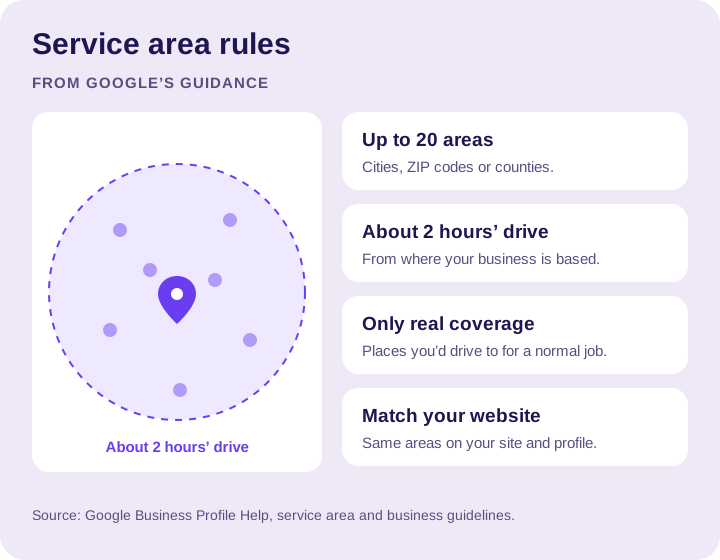
- List the places you really serve. If you won’t drive there for a normal job, leave it off.
- Stay within about two hours’ drive. Google’s guidance is that a service area generally shouldn’t extend farther than about two hours of driving time from where your business is based.
- Match your website. The areas on your profile should match the areas your website says you serve.
What a service area does and doesn’t do
Your service area tells customers and Google where you work. It doesn’t make you rank everywhere inside it.
Distance still counts. Someone searching on the far edge of your area may see closer companies first. To compete there, you need the same things that win anywhere: a relevant, complete profile and strong reviews. Our Google Maps ranking checklist covers them.
Back it up on your website
Your website should make your coverage clear:
- A page for each service, so Google can match each search to the right page.
- Pages for your main service areas, written about that area: the homes, the common problems, the work you’ve done there.
- Clear contact routes on every page, so a customer can call or ask for a quote from their phone.
Area pages that are the same paragraph with a new town name swapped in don’t help anyone. Write fewer, better ones.
What to avoid
- Fake addresses. Don’t use a PO box, a mailbox store or a virtual office that isn’t staffed during your business hours. Google’s guidelines don’t allow them, and they can get your profile suspended.
- Showing an address customers can’t visit. If you’re a service area business, hide it.
- Stuffing your business name with town names or keywords. Use your real name.
- Listing every city in the state. It doesn’t help, and it doesn’t match how you work.
Measure where your work comes from
Once your profile is set up, watch where customers actually are:
- Note the city or ZIP code for every new job.
- Compare that to the areas you listed. Are you getting work where you want it?
- Adjust your service area and your website pages to match the work you want more of.
The bottom line
Your profile should match the way you really work: where you’re based, where you go, and what you do there. That’s what Google asks for, and it’s what customers trust.
Want your profile and your service-area pages set up right? See our Google Business Profile management and local SEO services, or talk to us.
Want a hand with your profile?
Tell us about your business and the towns you serve. We can help you decide what to work on next.