Customer reviews · DIY guide
How a contractor gets a fake or unrelated Google review taken down
Only Google can remove a Google review, and only if it breaks Google's rules. How to report a fake or unrelated review yourself, check its status, and appeal.
 Noah Ziegler11 min read
TLDR
- Only Google can remove a Google review, and only when it breaks Google's content policy, such as a review that isn't a real experience or one from a competitor or former employee.
- Report it from your Business Profile or the Reviews Management Tool, check the status there, and use the one-time appeal if Google leaves it up.
- If the review stays, reply calmly. Don't offer a refund or discount to get it removed, and don't bury it with reviews from friends, family, or staff.
The short answer
Only Google can take down a Google review, and only when it breaks Google’s content policy, for example a review that isn’t based on a real experience or one written by a competitor or a former employee. Report it yourself from your Business Profile or Google’s Reviews Management Tool, choose the reason, then check the status there and use the one-time appeal if Google leaves it up.
Several contractors we met this month asked us this exact question. A contractor we spoke with this month said a Google review from a personal dispute, not a job, was still on the profile years later, and that an earlier report never took it down. That’s why the steps below matter: report it the right way, with the right reason, and know what to do next.
First, know this: nobody can delete it but Google
Not you, not your marketing company, and not us. Google’s own Maps help says: “You can’t contact someone who left an inappropriate review or directly delete someone else’s review. Instead, you can request that Google remove the review by reporting it.” (Google Maps Help)
And Google only removes the ones that break its rules: “You can report any review, but only those that violate Google policies are eligible for removal.” (Google Business Profile Help: Report inappropriate reviews)
So any agency, Profile Launch included, can help you spot a policy problem and file the report, but Google makes the final call.
Step by step: report it yourself
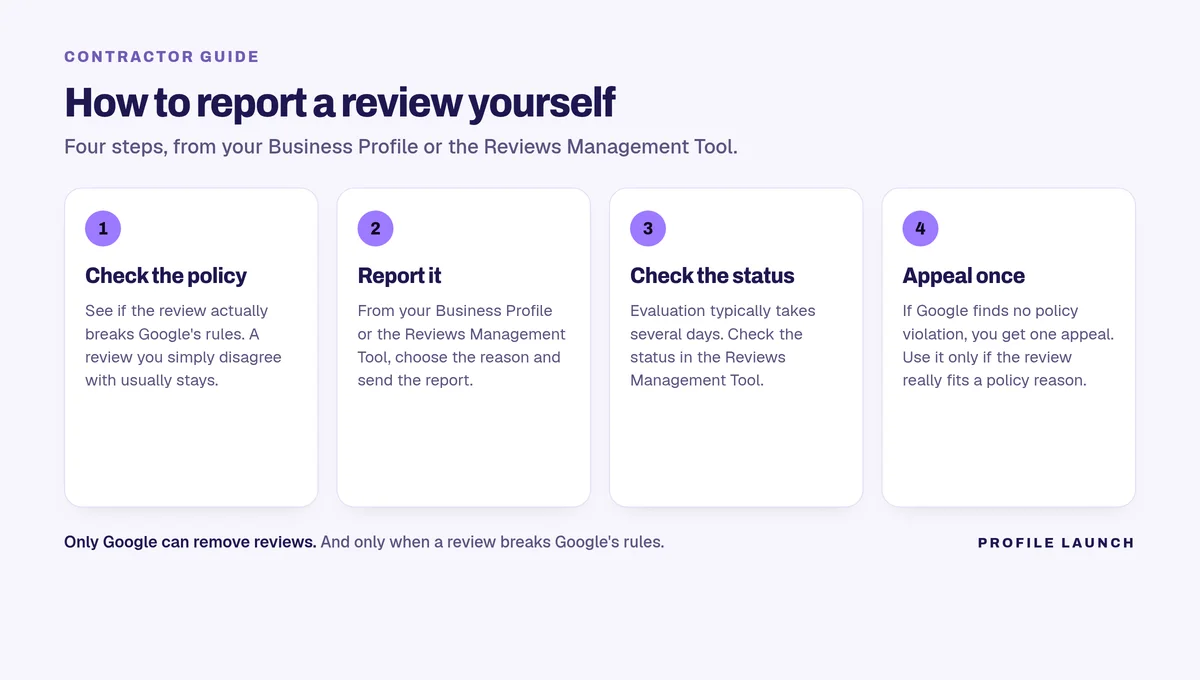
Step 1. Check whether it actually breaks Google’s policy
Google says: “Do not report a review just because you disagree with it or dislike it. Google doesn’t get involved in conflict between businesses and customers.” (Report inappropriate reviews)
Read the review against Google’s Maps policy (Prohibited & restricted content). For contractors, these are the ones that come up most:
- Not a real customer or not a real experience. Google removes “Content that is not based on a real experience or does not accurately represent the location or product in question.”
- A competitor. Google does not allow people to “Post content on a competitor’s place or business to undermine that business’ or product’s reputation.”
- A conflict of interest, like an ex-employee. Google lists “Content that is based on a conflict of interest,” which “may include current or former employment, a contractual or consultory relationship, or other professional or personal affiliations.”
- Off-topic. “Only post content that is based on your experience or questions about experiences at a specific location. We don’t allow content which contains general, political, or social commentary or personal rants.”
- Harassment, hate speech, or profanity used to attack you, and “Unsubstantiated allegations of unethical behavior or criminal wrongdoing” (under Offensive content).
- Personal information posted without consent.
- Spam and repeats, such as “Posting the same content multiple times either from the same account or multiple accounts.”
Write down which one fits. You’ll pick that reason when you report.
Step 2. Report it from your Business Profile
Google’s steps, word for word (Report inappropriate reviews):
- Go to your Business Profile.
- Select Read reviews.
- Next to the review you’d like to flag, select Report.
- Select the reason to flag the review. (Examples: “Spam” or “Profanity”)
- Select Send report.
Google notes: “Review evaluation typically takes several days. You can check the status of your report in the Reviews Management Tool.”
Step 2 (other way). Report it in the Reviews Management Tool
You can also report from Google’s Reviews Management Tool (“Use this tool to report review removals and check review status”). Google’s steps (Report inappropriate reviews):
- Go to the Reviews Management Tool.
- If the email address shown is the one associated with your Business Profile, select Confirm. (If you manage the profile under another email, select Switch account.)
- Select your business.
- Select Continue, then Report a new review for removal, then Continue.
- Next to the review that you want to flag, select Report.
- In the new tab, select the reason to flag the review.
- Select Submit.
Tip: sign in with the Google account that owns or manages your Business Profile.
Step 3. Check the status
Go back to the same tool. Google lists these statuses (Report inappropriate reviews):
- Decision pending: “The review is flagged, but it hasn’t been evaluated yet.”
- Report reviewed - no policy violation: “The review was evaluated, and no policy violation was found.” If you disagree, you can submit a one-time appeal.
- Escalated - check your email for updates: “The appeal has been escalated, and you’ll get an email about the final decision.”
What we’ve seen on our client calls: removal isn’t instant, but there is light at the end of the tunnel. When we check back with clients, about 40% of the reviews they report that seem to break Google’s rules come down within two to three days. That’s our own experience, not a promise. Google still makes the call on every review.
Step 4. If it wasn’t removed, file the one-time appeal
You get one appeal, so make sure the review really fits a policy reason first. Google’s steps (Report inappropriate reviews):
- Go to the Reviews Management Tool.
- If the email address shown is the one associated with your Business Profile, select Confirm.
- Select your business.
- Select Continue, then Check the status of a review I reported previously and appeal options, then Continue.
- At the bottom, select Appeal eligible reviews.
- Select the review you want to appeal. (You can select up to 10 reviews.)
- Select Continue, then Submit an appeal.
- In the new tab, fill out the form.
- Select Submit.
Google emails you the result: “If the review violates our policies, it will be removed. If the review complies with our policies, it will remain live.”
Step 5. If the person behind it is the problem, report their profile too
Google also lets you report a user profile that posts inappropriate content, from the Google Maps app on your phone (Report inappropriate reviews):
- Open the Google Maps app.
- At the bottom right, tap Business.
- Tap Reviews.
- To flag a user, tap the user’s name.
- In the user’s profile, at the top right, tap More, then Report.
- Select a reason why you want to flag the user.
If someone is threatening bad reviews unless you pay them, Google’s report page points you to a separate way to report that extortion scam (Report inappropriate reviews).
Step 6. Reply calmly while you wait (and if it stays)
You can reply to any review once your business is verified. Google’s steps (Manage customer reviews):
- Go to your Business Profile.
- Select Read reviews.
- Next to the review you want to reply to, select Reply.
- In the dialog box, enter your reply.
- Select Reply.
Google checks replies against its content policies, and “Replies usually take up to 10 minutes to review, but sometimes a review can take up to 30 days.” The reviewer is notified when you reply. (Manage customer reviews)
Keep it short and professional. Something like: “We take every review seriously, but we can’t find a record of this job. Please call our office so we can look into it.” The person reading it is your next customer, not the reviewer.
More reply examples are in how to respond to negative Google reviews.
What doesn’t work, and what to avoid
- Reporting it just because it’s unfair or you disagree. Google says not to, and won’t remove it for that. (Report inappropriate reviews)
- Offering a refund, discount, or free work to get it changed or taken down. Google does not allow merchants to “Offer incentives – such as payment, discounts, free goods and/or services - in exchange for posting any review or revision or removal of a negative review.” (Prohibited & restricted content)
- Burying it with friends’, family, or staff reviews. Reviews based on a conflict of interest (including “familial relationships”) and “Content that has been posted from multiple accounts by or at the request of one person” break the policy. Google also doesn’t allow businesses to selectively ask only happy customers, or have staff collect a set number of reviews. (Prohibited & restricted content)
- Hitting back on a competitor’s profile. Posting on a competitor’s business to hurt its reputation is against the rules. (Prohibited & restricted content)
- Paying anyone who “guarantees” removal. Only Google can remove a review, and only if it breaks policy (Google Maps Help). Nobody outside Google can promise the outcome.
- Putting the customer’s personal details in your reply. Google’s policy bars posting someone’s personal information without consent, and replies are checked against the content policy. (Prohibited & restricted content; Manage customer reviews)
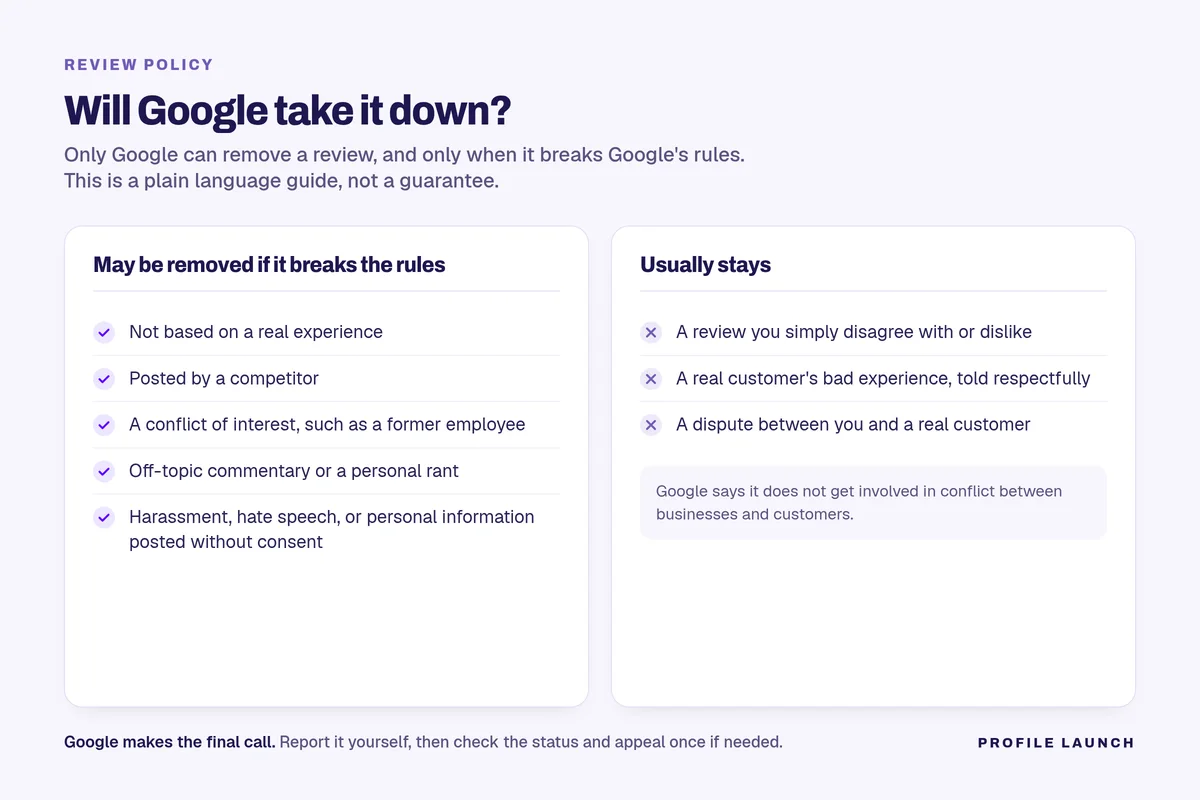
Will Google take it down? A quick guide
Based only on Google’s Prohibited & restricted content policy and its Report inappropriate reviews page.
| May be removed if it breaks Google's rules | Google usually won't remove |
|---|---|
| A review not based on a real experience | A review you simply disagree with or dislike |
| A review from a competitor trying to hurt your reputation | A real customer's bad experience, told respectfully ("We do allow content that describes negative experiences in a respectful manner") |
| A conflict of interest, such as a current or former employee | A dispute between you and a real customer (Google "doesn't get involved in conflict between businesses and customers") |
| Off-topic content, general commentary, or personal rants | A review that names you, if you do business under your own name (the policy allows names of "contractors and others professionals doing business under their names") |
| Harassment, hate speech, profanity used to attack, or unsubstantiated claims of crimes | |
| Personal information posted without consent | |
| Paid or incentivized reviews, or the same review posted from multiple accounts |
If you’d rather have help
We can check a review against Google’s policies and report the ones that break them for you, but Google makes the final call. (Review management)
Talk to us if you want help filing the report. Only Google can remove the review.
FAQ
Can a marketing agency delete a Google review for me?
No. Only Google can remove a review, and only if it breaks Google’s content policy. An agency can help you report it, but Google makes the final call.
How long does Google take to look at a reported review?
Google says review evaluation typically takes several days. You can check the status of your report in the Reviews Management Tool.
How long does it take Google to remove a reported review?
It isn’t instant. In our experience checking back with clients, about 40% of the reviews they report that seem to break Google’s rules come down within two to three days. Others take longer or stay up, and Google makes the final decision.
What if Google says the review doesn’t break its policy?
You can submit a one-time appeal from the Reviews Management Tool, and Google emails you the result. If the review stays up, reply calmly and professionally so future customers see how you handle it.